
Siirry sisältöön
Softagram
  • Etusivu
  • Palvelut
    • Toiminnanohjaus
    • Tekoälypalvelut
    • Tietoturvapalvelut
  • Yritys
  • Ota yhteyttä
  • Uutiset ja oppaat
    • Uutiset
    • Oppaat
  • Tech
  • Kirjaudu sisään
  • Ota yhteyttä
Softagram
      • Etusivu
      • Palvelut
        • Toiminnanohjaus
        • Tekoälypalvelut
        • Tietoturvapalvelut
      • Yritys
      • Ota yhteyttä
      • Uutiset ja oppaat
        • Uutiset
        • Oppaat
      • Tech
    • Kirjaudu sisään
    • Ota yhteyttä

    How to setup LDAP authentication (enterprise-only)

    Integrations
  • Kaikki blogit
  • Oppaat
  • How to setup LDAP authentication (enterprise-only)
  • 15. heinäkuuta 2021 kirjoittanut
    How to setup LDAP authentication (enterprise-only)
    Matti Mäki

    NOTE: LDAP is currently only supported with Softagram Enterprise. Contact us if you have any questions or need help.

    1. Login to Softagram as superuser

    Only superuser can enable and change the LDAP configuration of Softagram.

    2. Enable LDAP

    Open the top-right icon (the User icon)

    Then choose 'LDAP' from the column on the left-hand side.
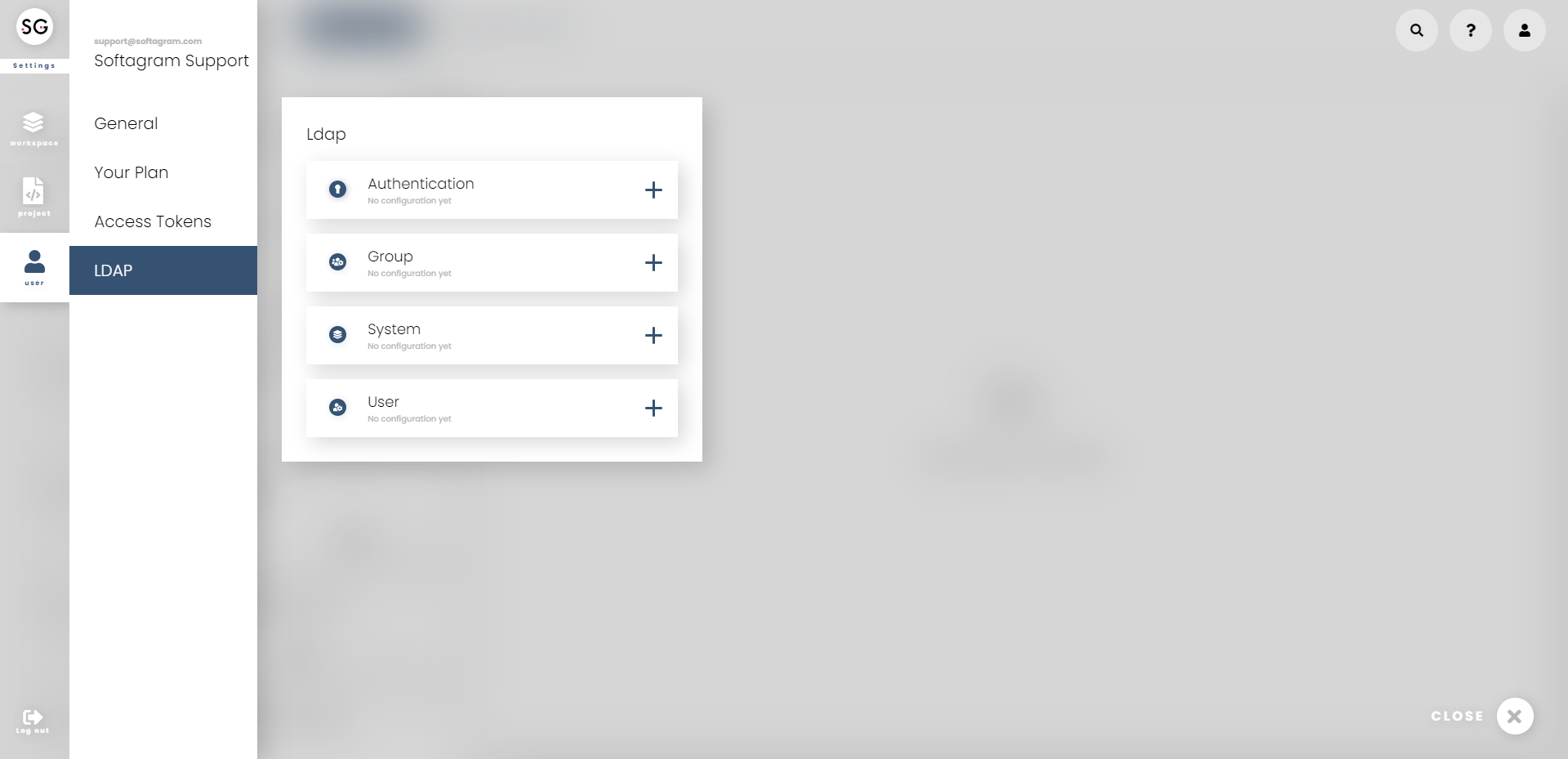
    NOTE: When you enable LDAP authentication, all the existing user accounts in Softagram will remain accessible as before. They are not converted to LDAP automatically. Currently Softagram does not provide a UI to switch existing users to use LDAP but it can be done in our server. Please contact us for the details.

    3. Configure LDAP settings
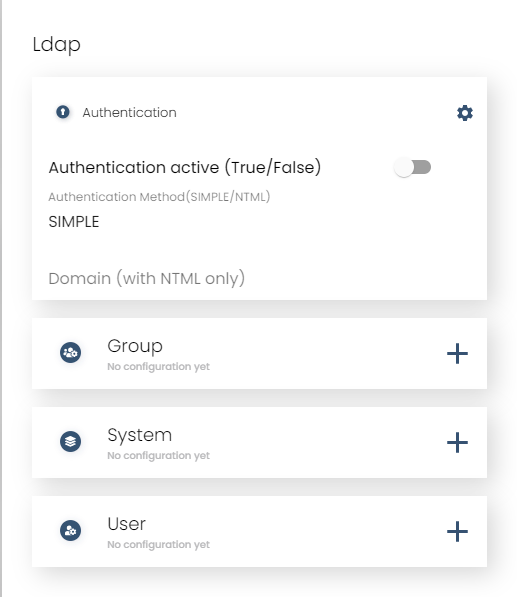
    Follow your organization's instructions for setting up LDAP. Set the Softagram settings accordingly. User search filter needs to be email-based because Softagram only supports log in with email address. System username/password are defined for an account which has full access to the relevant LDAP structures that are needed to enable log in for all the required users (e.g. all developers in the company).

    If you need any help with finding the correct settings, don't hesitate to contact us. We'll figure it out together.

    Originally published at help.softagram.com

    in Oppaat
    # Softagram Analyzer

    Älyä toiminnanohjaukseen

    Olemme intohimoinen tiimi, jonka tavoitteena on parantaa kaikkien elämää mullistavien tuotteiden avulla. Kehitämme loistavia tuotteita liiketoimintasi ongelmien ratkaisemiseksi. Tuotteemme on suunniteltu pienille ja keskisuurille yrityksille, jotka haluavat optimoida suorituskykynsä.

    Ota yhteyttä

    Softagram Oy
    Ketolanperäntie 469 
    90450 ​Kempele 

    • +358504836173
    • info@softagram.com
    Seuraa meitä
    Copyright © Softagram Oy
    Järjestelmää pyörittää Odoo - Luo ilmainen verkkosivu