
With a pull request you are asking that changes in your branch are included to the main branch. This article describes how to open a pull request in GitHub. If you are using some other service, the process might be a little different, but the basic principle is similar. Pull requests are called merge requests in some services (for example GitLab).
After you have pushed your changes to remote repository, you usually see a message in the terminal where you can see the URL for making a pull request. In the case of GitHub, it looks like this:
https://github.com/<github_user>/<repository_name>/pull/new/my-new-feature
If you don't see the URL, you can go to GitHub and compare your branches:
https://github.com/<your_github_user_name>/<repository_name>/compare/
Select your new branch as the compare branch (if not already selected). You should see a button Create pull request.
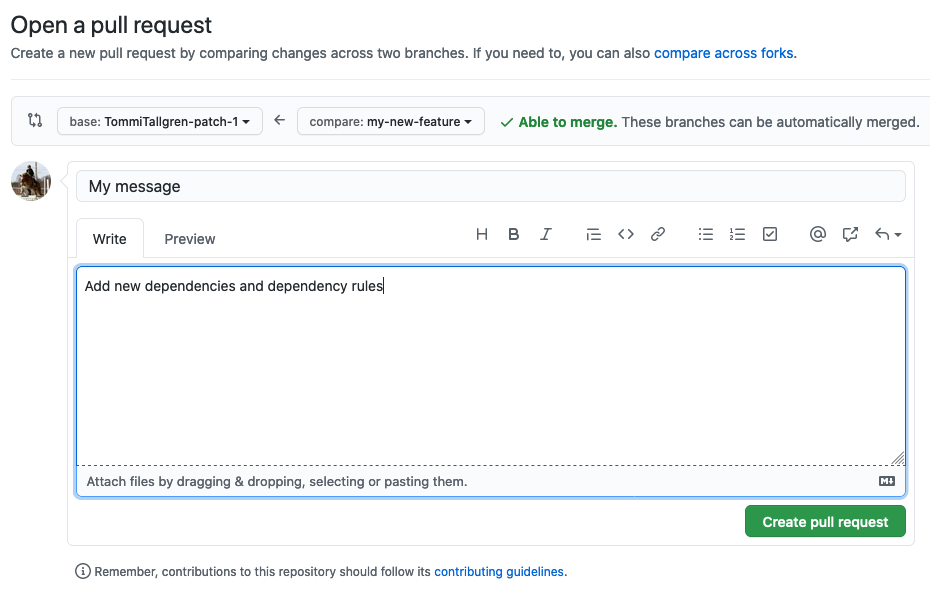
Clicking the button will take you to the Open a pull request page, where you can write a description about your pull request. After writing the description, click the Create pull request button.
Softagram analysis will start after you have created your pull request. In GitHub, you can see the progress of the analysis from the Checks view.
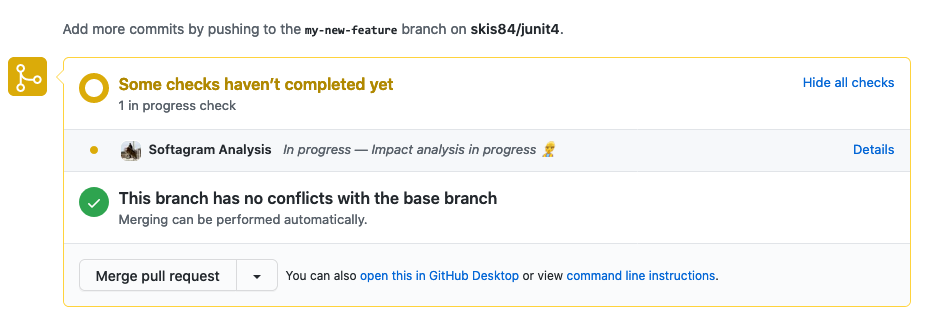
After the analysis is finished, you will see as short summary of your change in Github pull request page, and more detailed impact report in the Softagram web UI.
Originally published at help.softagram.com