
Add your Git repositories to Softagram
1. Open Softagram in your browser (https://private.softagram.com for Softagram Cloud)
2. Create a new Softagram project for your repositories. Check on How to create new project.
3. Select 'Azure' as your service.
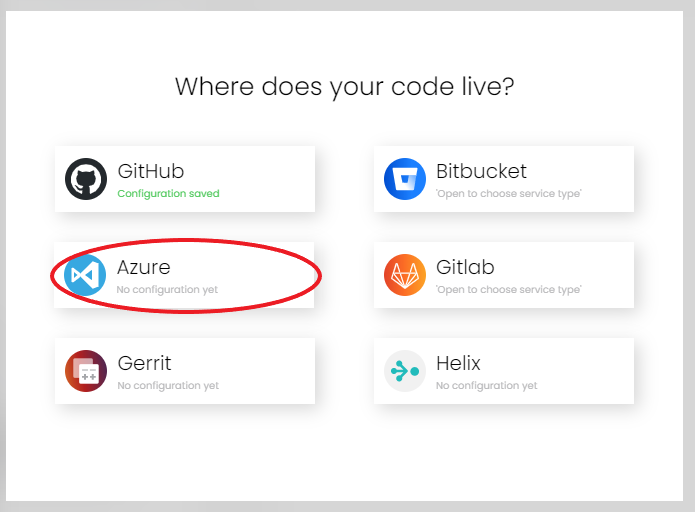
You will be asked for your Azure Devops base URL, username and token (If have not setup in workspace settings. Check here on how to setup in workspace settings). After giving them, click Forward to get the list of your repositories.
Select the repositories and click Add.
To create a new personal access token in Azure Devops, check the instructions in the end of this article.
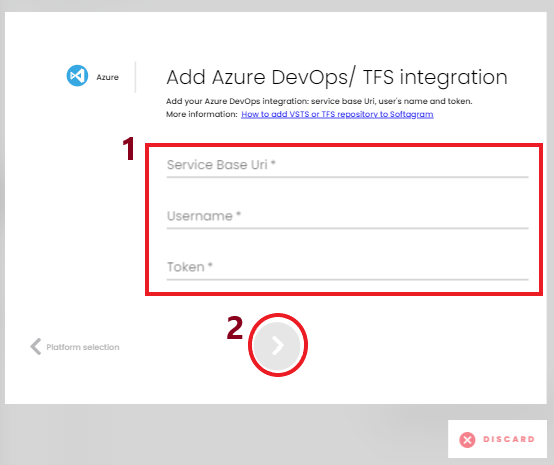
If you ever need to change these Azure Devops settings, click the gear icon on the dashboard and open "Integrations" section.

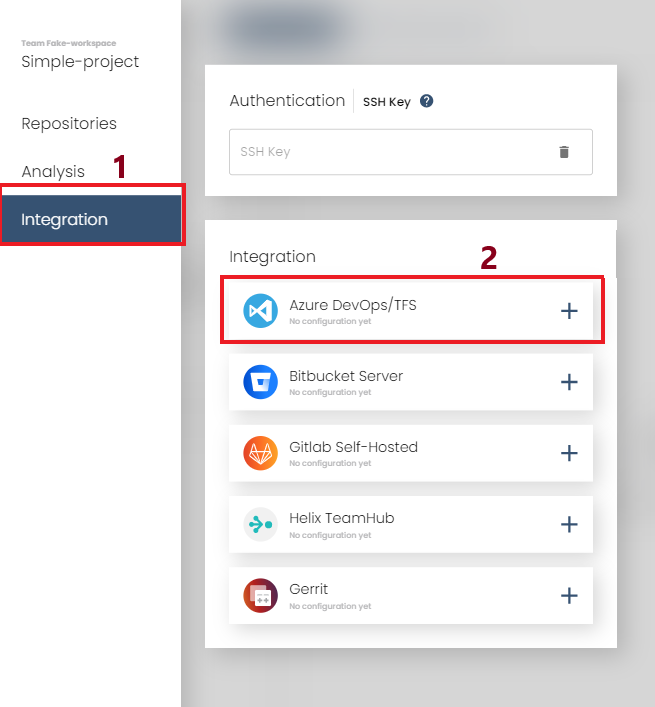
TFS Service Base URI: e.g. https://dev.azure.com/mycompany
TFS User: git username of your Azure DevOps account
TFS Token: personal access token - check instructions in the end of this article
For TFS, service base URI is https://{server:port} and by default the port is 8080.
For VSTS, service base URI is https://{account}.visualstudio.com
Creating access token in Azure DevOps / TFS
You can create a personal access token for Softagram with limited set of access rights. Remember to login with the user account that you want to be shown as the sender of impact report comments in pull requests. It could be a separate bot/CI/tools account, or if you prefer so, your personal account.
From the Dashboard, go to your personal Security settings.
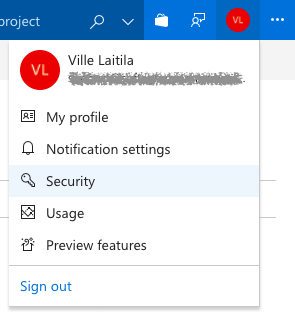
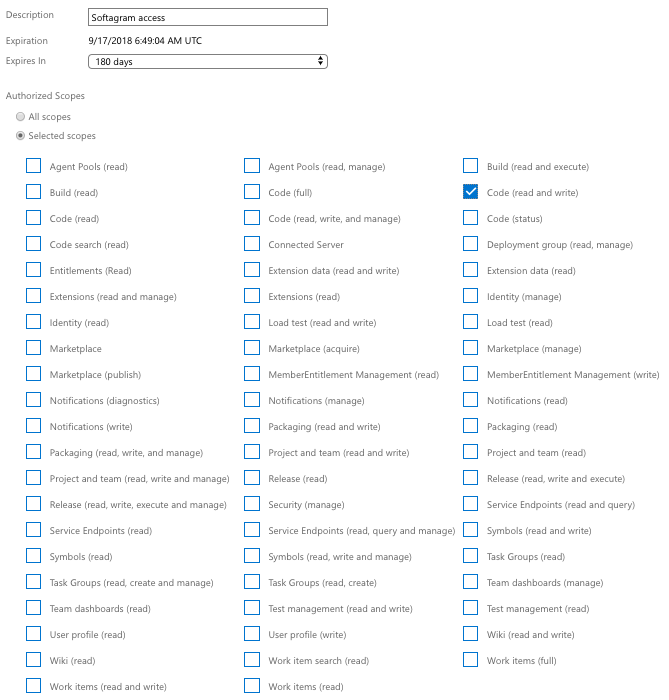
Select Personal access tokens, and create new, selecting "Code (read and write)" as the only required scope. Write access is needed in order to send comments to pull requests. It will never be used to push code changes or any other changes to your repositories.
Remember that you need to manually update the token once it expires. Softagram will try to send you an email if the checkout of your repositories start failing e.g. due to expired token.
The permissions UI might look different on different versions of Azure Devops / TFS but the available items should be the same.
Originally published at help.softagram.com