
Integrations and webhooks: overview
Softagram connects to your Git service in two ways:
Access: credentials or a token that let Softagram list and clone your repositories. You set these once in workspace or project settings, as described below this overview.
A webhook: your Git service calls Softagram whenever a pull request (a merge request in GitLab, a patch set in Gerrit) is opened or updated. Softagram analyses the change and posts an impact report as a comment on it. See Pull request reports explained.
On most services Softagram creates the webhook for you when you add a repository. If pull requests stop getting reports, check the webhook first. It must point at your Softagram server's endpoint (https://private.softagram.com for Softagram Cloud, your own host for Softagram Enterprise), have an empty secret, and be triggered by pull request events.
Guides by Git service
New to Softagram? Start with How to create new project and setup integration.
In this guide, we will show you how to setup integrations for credentials
You can either setup in workspace settings or project settings.
1. Workspace settings
In workspace settings, all values and credentials will be used for all projects belongs
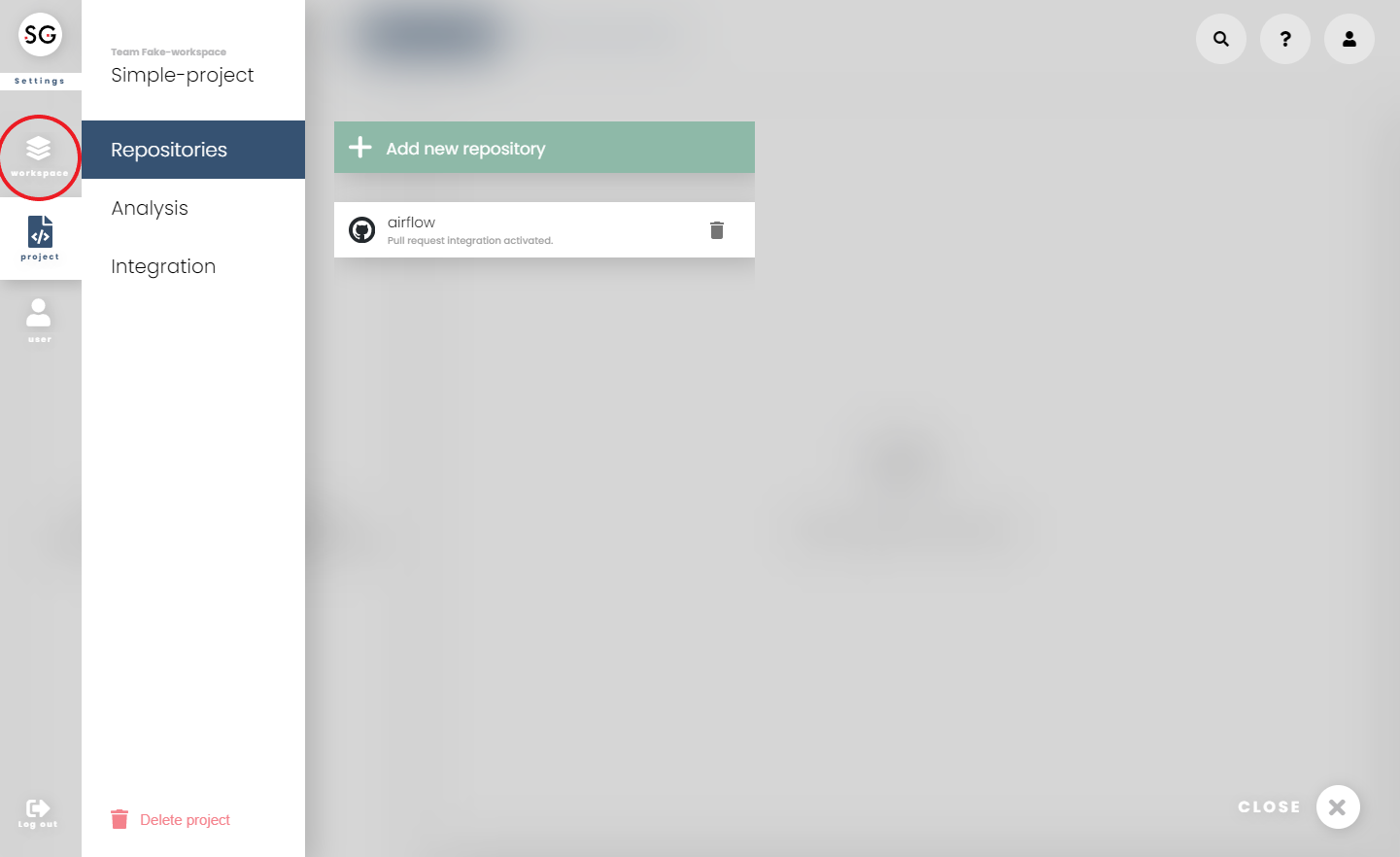
You can access workspace settings from the 'Settings' button on the main bar and choose 'Workspace' from the left bar.

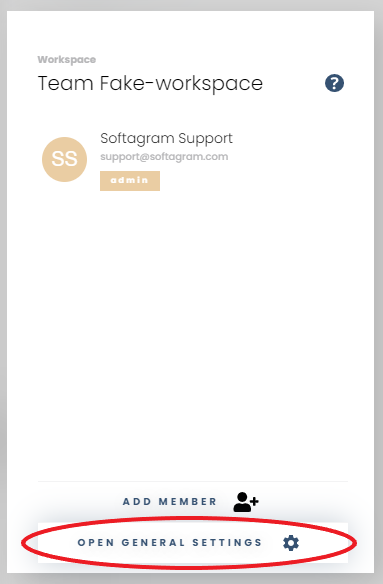
Then, go to 'Open General settings'
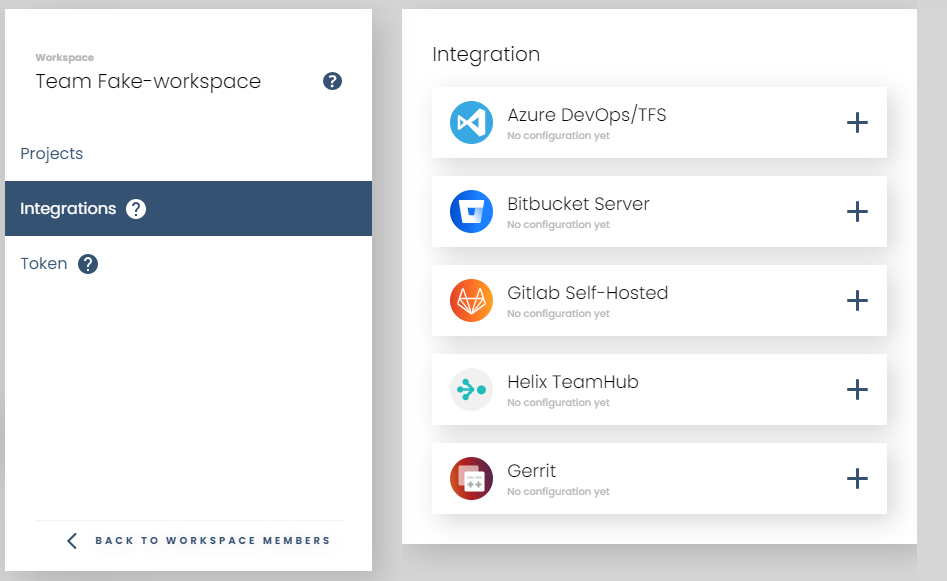
All integrations settings are under 'Integrations' section
2. Project settings
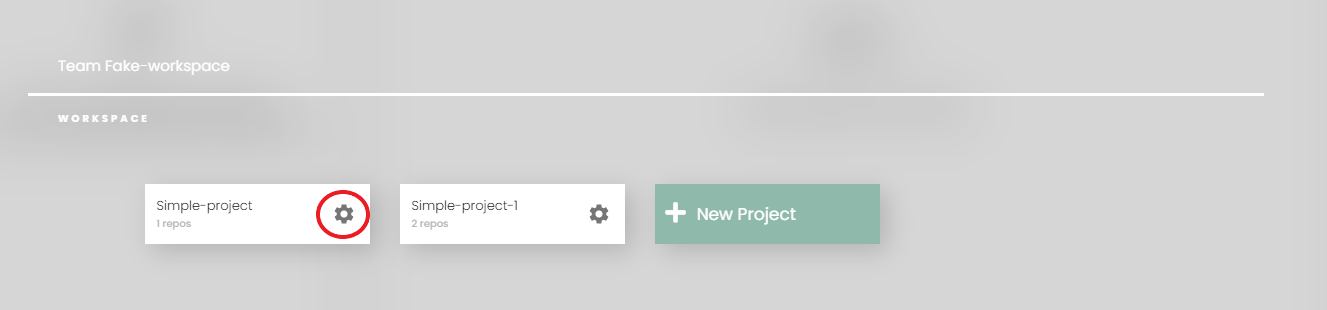
You can open project settings either on the dashboard or inside switcher
From homepage

Or, inside switcher
All the integrations settings for this project is under 'Integrations' section
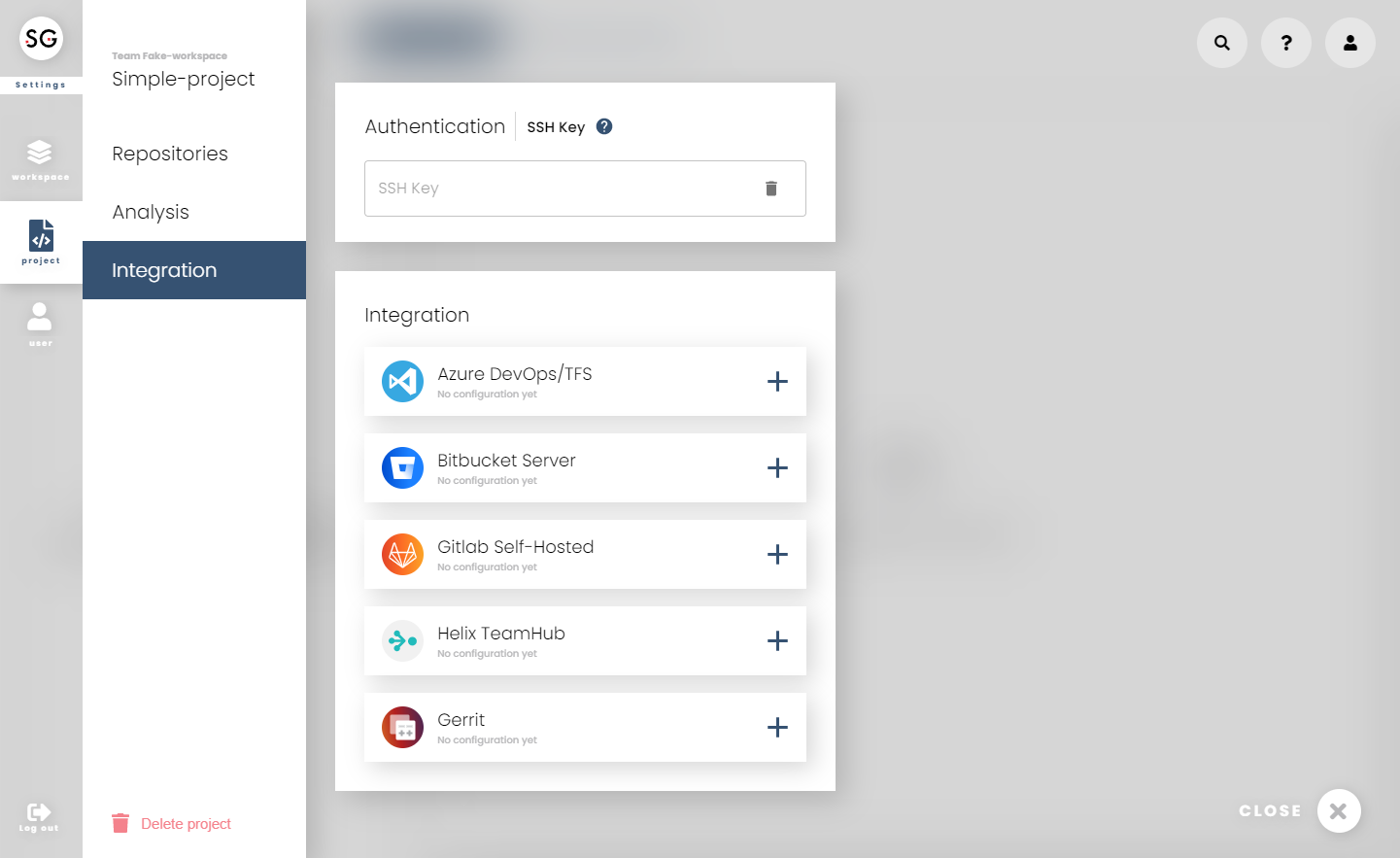
3. How to set up your Git service?
Follow the guide for your service in the table above.
Need help, or didn't it work? Email us at support@softagram.com.
Originally published at help.softagram.com