
So you have made changes to a component in your codebase and soon a seemingly unrelated component started failing in the tests. Have you ever been there? In the worst case your tests didn't even catch it and it's your customer who complains about a weird bug in the product.
With Softagram you can find out earlier. Open Softagram Desktop and find out the
component that you have changed.
Finding your target
You can search for example with file, class or function name, or just enable the "recent changes view" by entering "commit_count_30>0" to the search field.
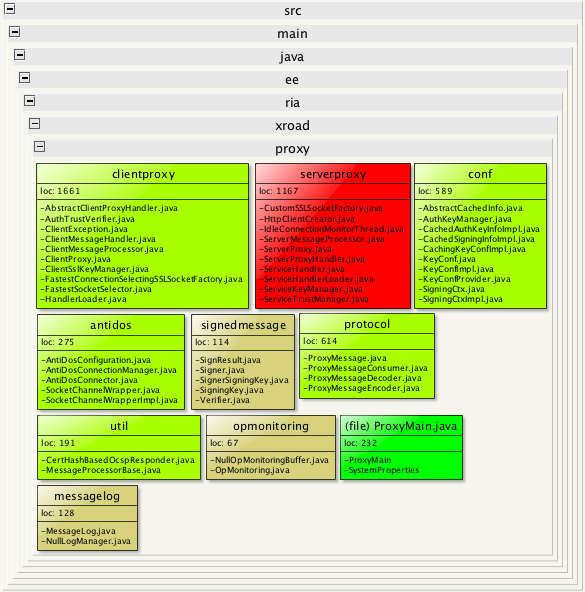
Here I'm interested of the recent changes made to the proxy protocol:
Showing the risky things
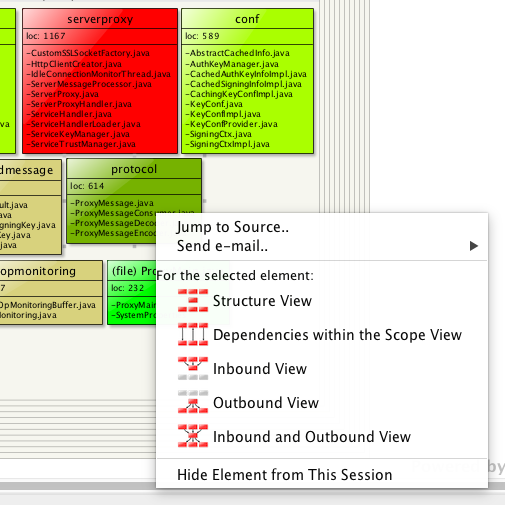
Now I'll right-click on the protocol folder and select Inbound View:
There I can see an overview of dependencies to protocol:
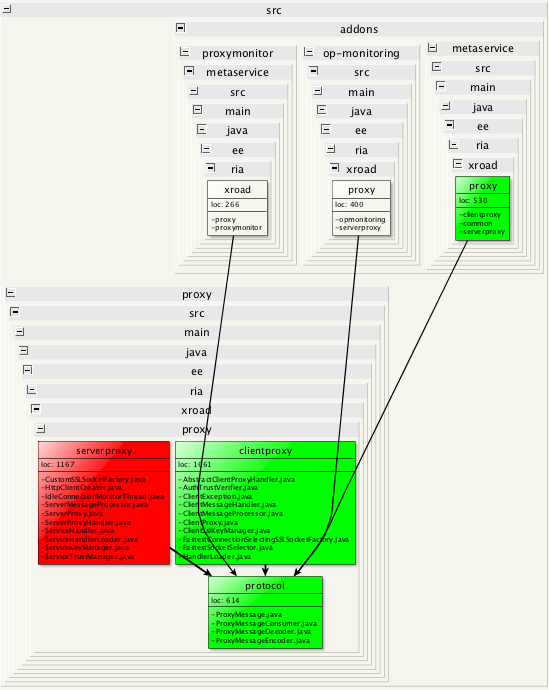
Here we have a single view telling me that when I do changes in proxy protocol, there's the risk of breaking the proxymonitor, op-monitoring and metaservice addons. Obviously I have to ensure these components get tested well enough to avoid regression. Also proper unit testing for the serverproxy and clientproxy components within the proxy package is required.
Diving deeper
Sometimes it's not enough to see just the direct inbound dependencies but you have to lookup further. You can do that easily by raising the Dependency Lookup Level which is by default 2, meaning that only direct dependencies are shown. Increasing it from the right sidebar to 3 or 4 will show you any components that might indirectly be in risk after your changes.
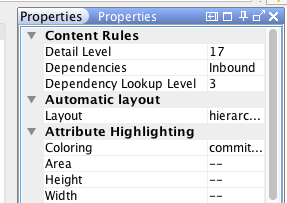
Here I'm looking at the risks of changing utils under the proxy package. I have set lookup level to 3 and found out that the proxymonitor add-on depends on it through ProxyMain.java
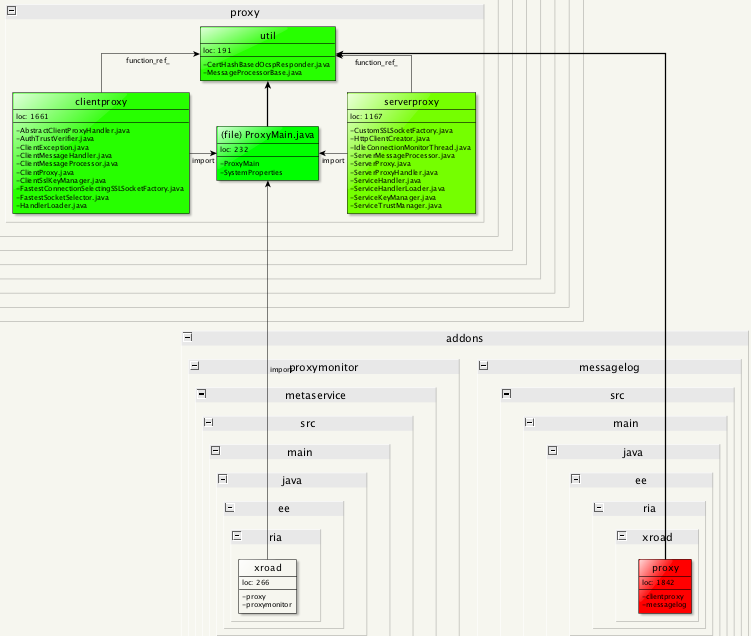
By the way, I switched the layout from default to orthogonal so you can see the indirect dependency more clearly.
One more thing
One of the most powerful implicit features of Softagram is aggregated dependencies. This means that if class A depends on class B, you will see the dependency also between their parent folders when you want to hide the dirty details and focus on the big picture (by pressing the "-" button for example).
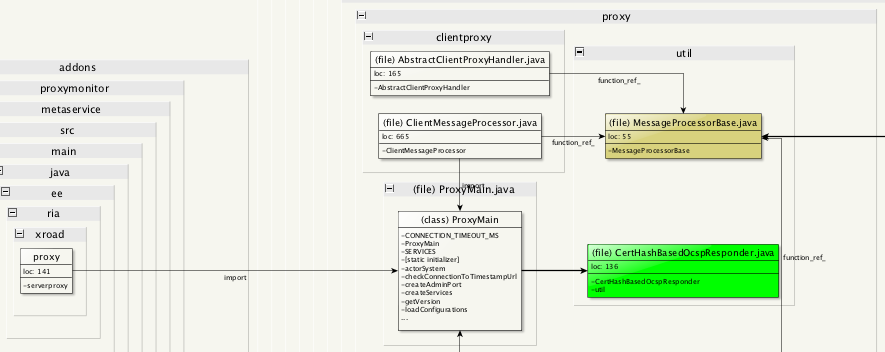
However, I'm often interested about the details too: what actually makes the dependency between two elements? For that I can adjust the detail level by pressing the "+" button until I get to see enough details. Here's an example for the proxymonitor -> util dependency:
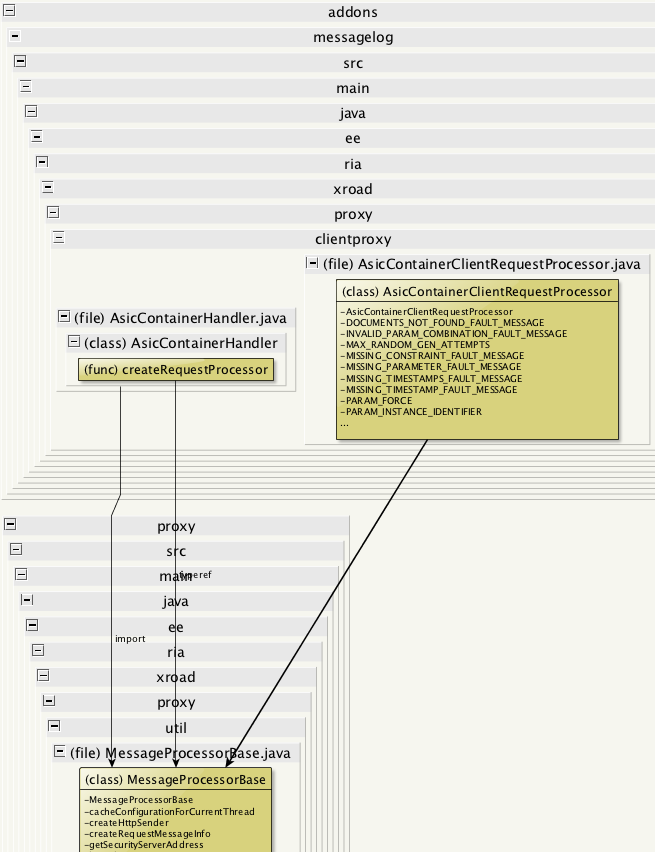
If I'm interested of just a single dependency, I can first double-click the dependency arrow between elements, then zoom to the proper detail level with "+" button to get down to the class and even function level, like this:
Originally published at help.softagram.com