
Siirry sisältöön
Softagram
  • Etusivu
  • Palvelut
    • Toiminnanohjaus
    • Tekoälypalvelut
    • Tietoturvapalvelut
  • Yritys
  • Ota yhteyttä
  • Uutiset ja oppaat
    • Uutiset
    • Oppaat
  • Tech
  • Kirjaudu sisään
  • Ota yhteyttä
Softagram
      • Etusivu
      • Palvelut
        • Toiminnanohjaus
        • Tekoälypalvelut
        • Tietoturvapalvelut
      • Yritys
      • Ota yhteyttä
      • Uutiset ja oppaat
        • Uutiset
        • Oppaat
      • Tech
    • Kirjaudu sisään
    • Ota yhteyttä

    Using heat maps to see recent code changes visually in Softagram Desktop

    Tutorials
  • Kaikki blogit
  • Oppaat
  • Using heat maps to see recent code changes visually in Softagram Desktop
  • 15. helmikuuta 2019 kirjoittanut
    Using heat maps to see recent code changes visually in Softagram Desktop
    Matti Mäki

    Reading thru the git log is a nice way to keep up with the recent changes in your codebase. However, it easily becomes a time consuming activity to get the big picture while crawling through the change history commit by commit, occasionally checking the actual diff too to get better understanding of what has changed.

    With Softagram you can save time by seeing an instant overview of the recent changes. Here's how to do it:

    1 .  Open Softagram Desktop, login and select your project from the list

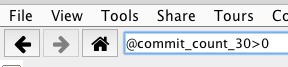
    2. In the top search bar, enter "@commit_count_30>0" and press enter (note: no whitespace around the ">" operator")
    3. Check the heatmap at the bottom, and  select Commit_count30: 
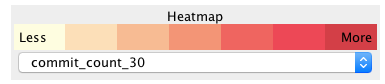
    Now you'll see an overview of your codebase, colored nicely by the amount of commits that have been introduced during last 30 days. Darker color means a lot of commits compared to the average, lighter means relatively low amount of commits.
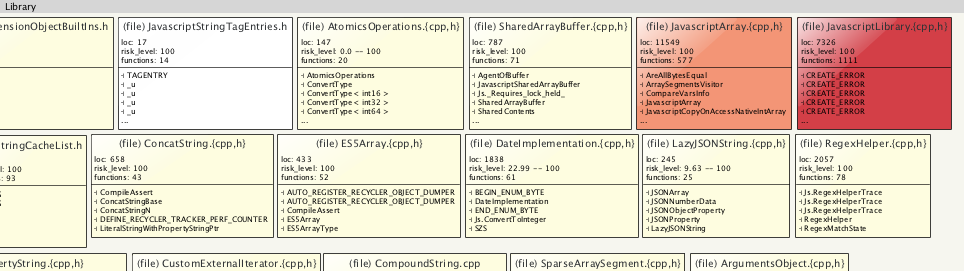
    By hovering over the elements you can see their actual commit counts during the last 30 days. In the tooltip you'll also see a list of latest commits. In case you don't, try enabling a more informative tooltip by pressing Ctrl + t, then hover again.
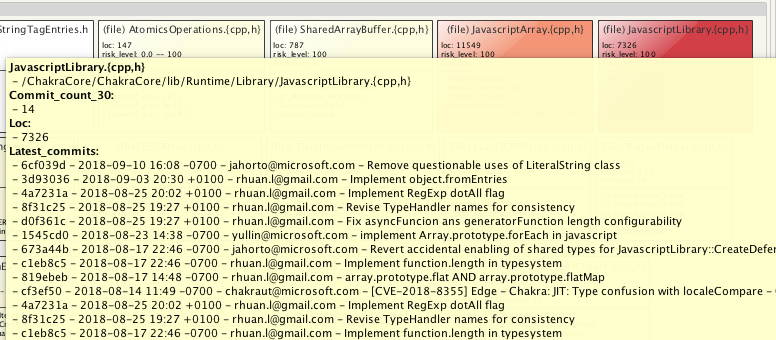
    If you need to get more detailed, you can press "+" to zoom in down to the file level.

    Now you might wonder, which components in your code are affected by the recent changes and thus require better coverage in QA? Read next How to find out risks in recent changes

    Originally published at help.softagram.com

    in Oppaat
    # Softagram Analyzer

    Älyä toiminnanohjaukseen

    Olemme intohimoinen tiimi, jonka tavoitteena on parantaa kaikkien elämää mullistavien tuotteiden avulla. Kehitämme loistavia tuotteita liiketoimintasi ongelmien ratkaisemiseksi. Tuotteemme on suunniteltu pienille ja keskisuurille yrityksille, jotka haluavat optimoida suorituskykynsä.

    Ota yhteyttä

    Softagram Oy
    Ketolanperäntie 469 
    90450 ​Kempele 

    • +358504836173
    • info@softagram.com
    Seuraa meitä
    Copyright © Softagram Oy
    Järjestelmää pyörittää Odoo - Luo ilmainen verkkosivu