
Note: Contact support@softagram.com if your project is not yet available in our cloud service ( https://softagram.com/softagram-opensource )
Steps to activate pull request analysis and automatic Impact Report:
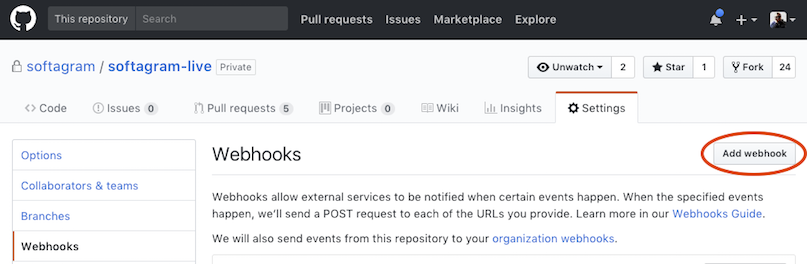
Go to github.com and open repository settings (something like https://github.com/your_org/your_repo/settings/hooks)
Open Webhooks and click "Add webhook":
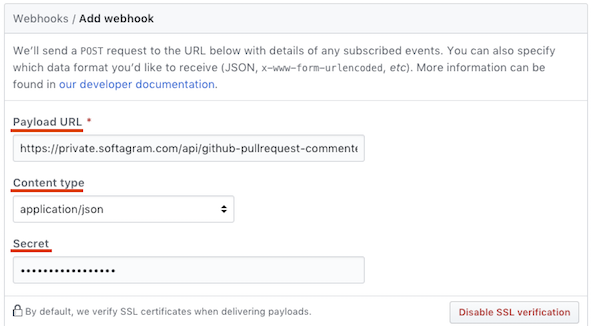
Set Payload URL to https://opensource.softagram.com/api/github-pullrequest-commenter-webhook
Set Content type to application/json
Leave the Secret empty
Choose Let me select individual events

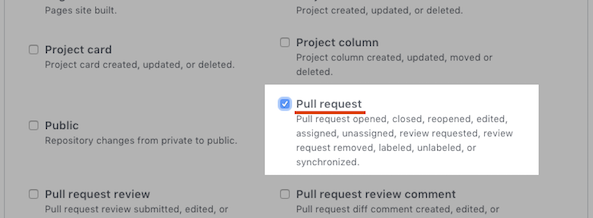
Select only "Pull request", unselect anything else
Keep Active checkbox selected and then click "Add webhook"

If you would like to get help, please email us at support@softagram.com, we're happy to help!
Originally published at help.softagram.com