Skip to Content
Softagram
  • Services
    • ERP
    • AI Services
    • Security
  • Company
  • Contact
  • Blog
    • News
    • Guides
  • Jobs
  • Tech
  • Events
  • English (US) Suomi
  • Sign in
  • Contact Us
Softagram
      • Services
        • ERP
        • AI Services
        • Security
      • Company
      • Contact
      • Blog
        • News
        • Guides
      • Jobs
      • Tech
      • Events
    • English (US) Suomi
    • Sign in
    • Contact Us

    How to integrate with GitLab (gitlab.com)

    Integrations
  • All Blogs
  • Guides
  • How to integrate with GitLab (gitlab.com)
  • February 15, 2021 by
    How to integrate with GitLab (gitlab.com)
    Softagram Oy, Matti Mäki

    In this guide we're going to show you how to use Softagram with your repositories in gitlab.com

    1. Create a new project / Select project

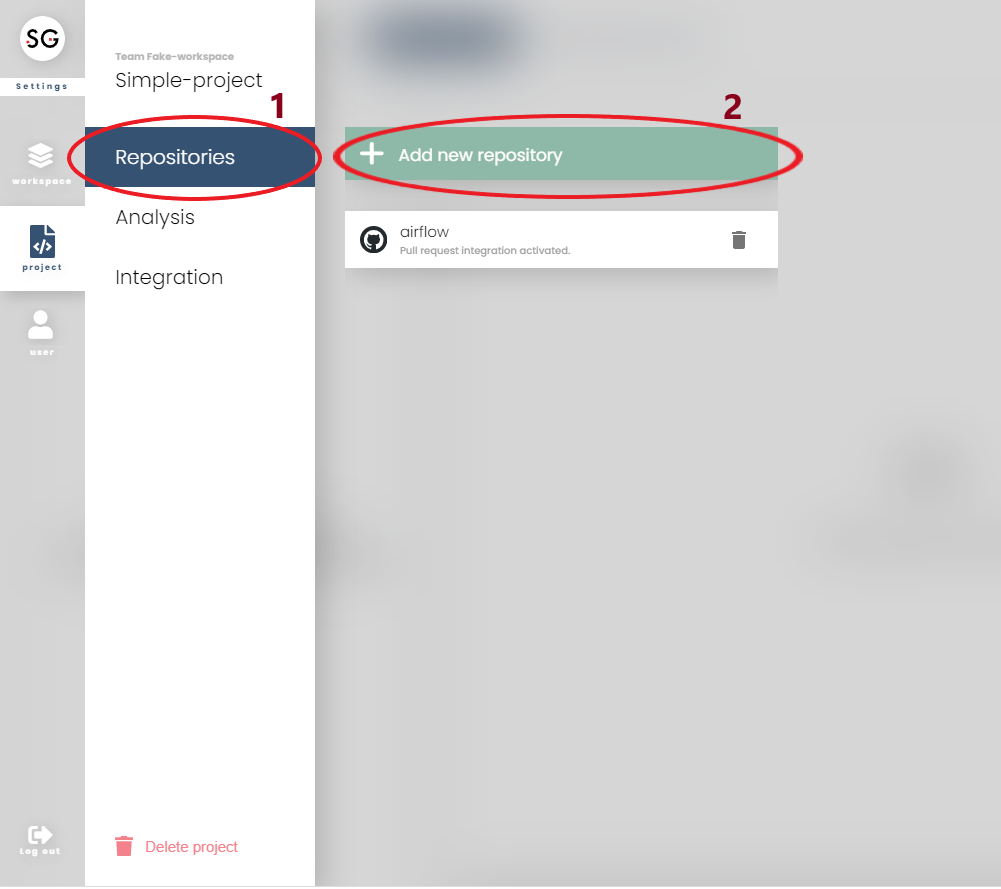
    Select switcher (top right corner part, similar as in the picture below) to open list of teams and projects

    Select a project or create new project (find more: here)

    If adding repositories to exist project, choose the setting icon on the project card and choose 'Add new repositories'
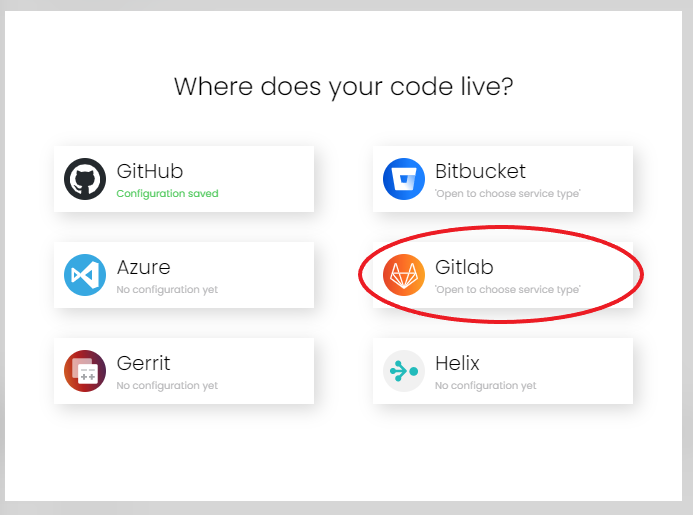
    2. Add repositories from GitLab

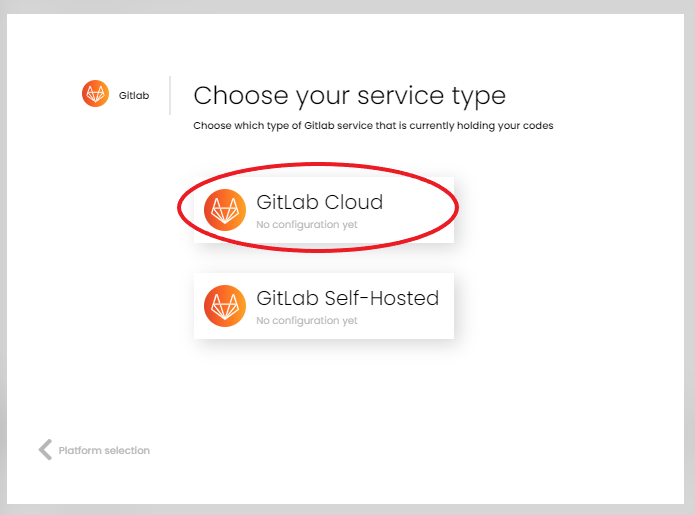
    You will go directly to this prompt after select 'Add new repositories' or setup name for project
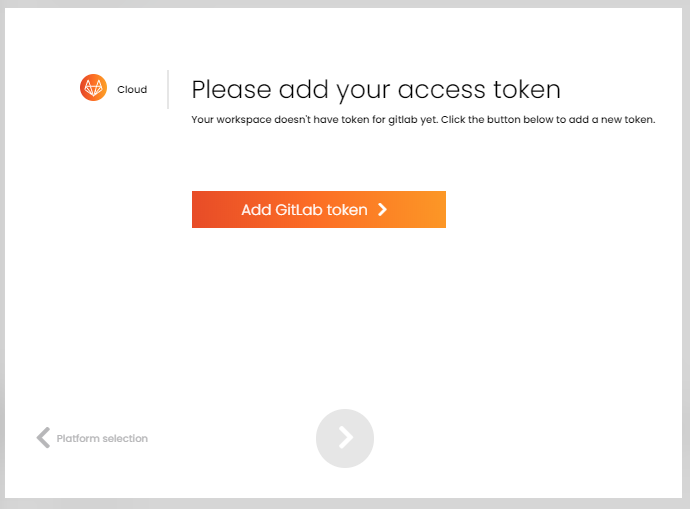
    3.If you have not set up token for workspace where this project belongs to, click "Add Gitlab Token" to be redirected to GitLab login and authorization. Grant access for Softagram and continue.
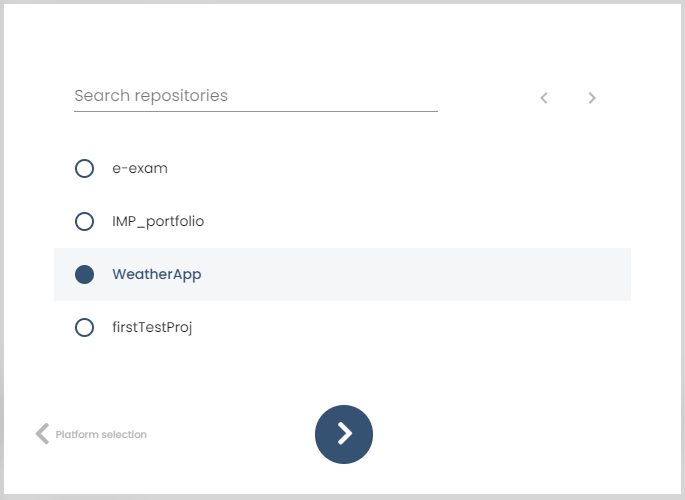
    4. After being redirected back to Softagram, select the desired repositories from the list

    Go forward when you ready.
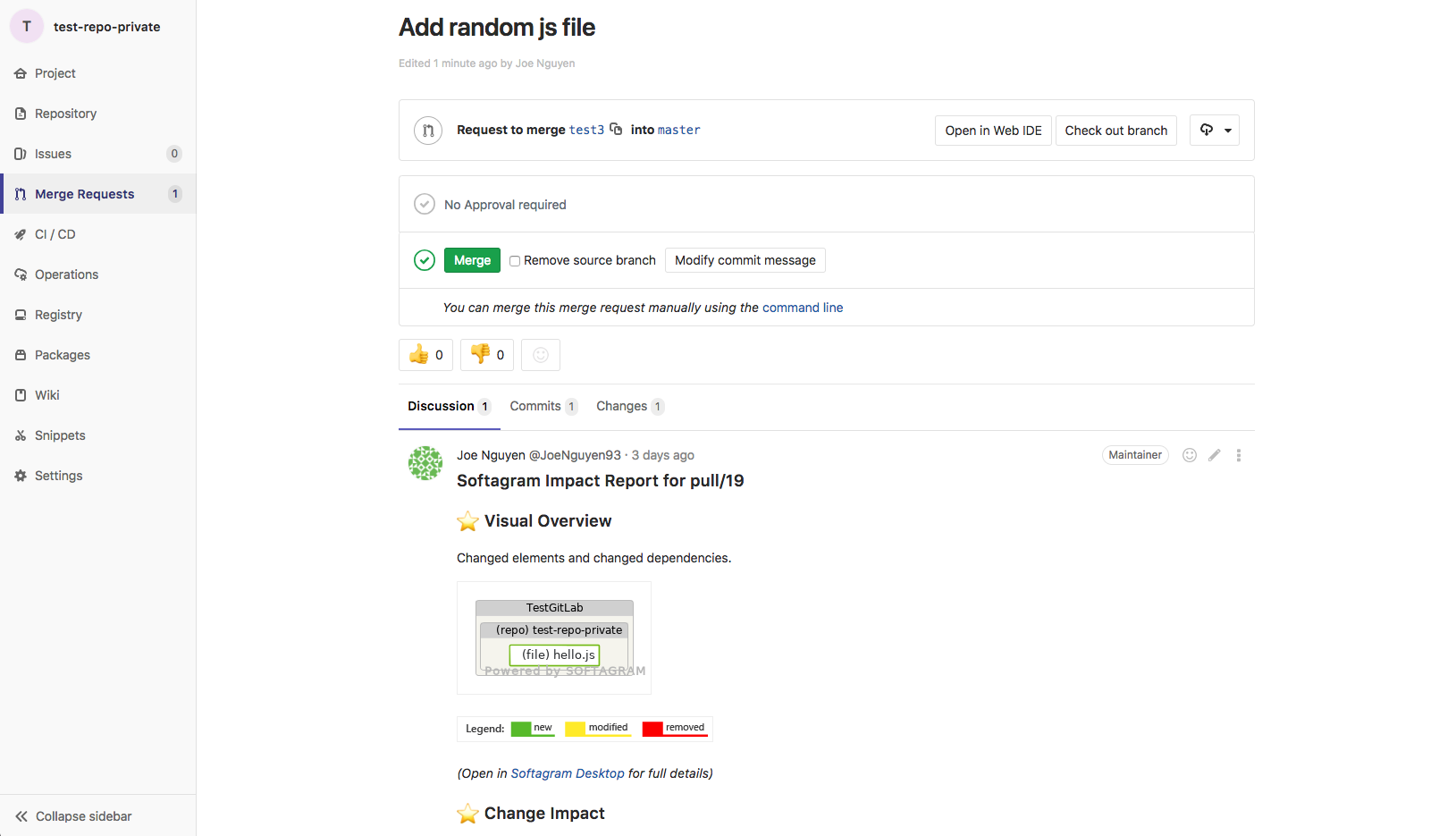
    5. Done! On the next merge request you'll get your first Softagram Impact Report.
    Any issues with the setup or not getting any impact reports? Email us at support@softagram.com, we are glad to help!

    Related guides

    • How to setup integrations (in general): overview of all Git services and webhooks

    • How to manually add webhook to GitLab.com

    • How to integrate with GitLab (self-hosted)

    • How to create new project and setup integration

    • Pull request reports explained

    Originally published at help.softagram.com

    in Guides
    # Softagram Analyzer

    Intelligence for enterprise resource planning and

    cybersecurity for software development

    Through our diverse expertise, we now offer a strong combination of artificial intelligence, operational efficiency, and cybersecurity knowledge.

    Contact us

    Softagram Oy
    Ketolanperäntie 469 
    90450 ​Kempele 

    • +358504836173
    • info@softagram.com
    Follow us
    Copyright © Softagram Ltd.
    Powered by Odoo - Create a free website

    We use cookies to provide you a better user experience on this website. Cookie Policy

    Only essentials I agree