Skip to Content
Softagram
  • Services
    • ERP
    • AI Services
    • Security
  • Company
  • Contact
  • Blog
    • News
    • Guides
  • Jobs
  • Tech
  • Events
  • English (US) Suomi
  • Sign in
  • Contact Us
Softagram
      • Services
        • ERP
        • AI Services
        • Security
      • Company
      • Contact
      • Blog
        • News
        • Guides
      • Jobs
      • Tech
      • Events
    • English (US) Suomi
    • Sign in
    • Contact Us

    How to setup integrations (in general)

    Integrations
  • All Blogs
  • Guides
  • How to setup integrations (in general)
  • September 15, 2021 by
    How to setup integrations (in general)
    Softagram Oy, Matti Mäki

    Integrations and webhooks: overview

    Softagram connects to your Git service in two ways:

    1. Access: credentials or a token that let Softagram list and clone your repositories. You set these once in workspace or project settings, as described below this overview.

    2. A webhook: your Git service calls Softagram whenever a pull request (a merge request in GitLab, a patch set in Gerrit) is opened or updated. Softagram analyses the change and posts an impact report as a comment on it. See Pull request reports explained.

    On most services Softagram creates the webhook for you when you add a repository. If pull requests stop getting reports, check the webhook first. It must point at your Softagram server's endpoint (https://private.softagram.com for Softagram Cloud, your own host for Softagram Enterprise), have an empty secret, and be triggered by pull request events.

    Guides by Git service

    ServiceConnect and add repositoriesWebhook and impact reportsWebhook endpoint
    GitHub (Softagram Cloud)How to add or remove repositories in GitHubHow to setup pull request impact report for open source projects in GitHub
    Created by the Softagram GitHub App. Open source projects add the webhook by hand.
    /api/github-pullrequest-commenter-webhook
    GitHub (Softagram Enterprise)How to setup impact reports for GitHub (enterprise only)How to setup impact reports for GitHub (enterprise only)/api/github-pullrequest-commenter-webhook
    GitLab.comHow to integrate with GitLab (gitlab.com)How to manually add webhook to GitLab.com
    Created automatically; add it by hand if merge requests get no report.
    /api/gitlab-pullrequest-commenter-webhook
    GitLab (self-hosted)How to integrate with GitLab (self-hosted)How to integrate with GitLab (self-hosted)/api/gitlab-pullrequest-commenter-webhook
    Bitbucket CloudHow to setup impact reports for Bitbucket CloudHow to setup impact reports for Bitbucket Cloud/api/bitbucket-pullrequest-commenter-webhook
    Bitbucket ServerAdd repositories from Bitbucket ServerHow to setup impact reports for Bitbucket Server
    Added by hand per repository; needs Bitbucket Server 5.4 or newer.
    /api/bitbucket-server-pullrequest-commenter-webhook
    GerritHow to integrate with GerritHow to setup impact reports for Gerrit
    Needs the Gerrit Webhooks plugin; triggered on patchset-created.
    /api/gerrit-patchset-commenter-webhook
    Azure DevOps, VSTS, TFSHow to setup impact reports for Azure DevOps, VSTS or TFSHow to setup impact reports for Azure DevOps, VSTS or TFS
    How to use KPI Dashboard Widget on Azure DevOps (VSTS/TFS)
    —
    Helix TeamHubHelix TeamHub integration with Softagram for automated code review checksHelix TeamHub integration with Softagram for automated code review checks
    Created automatically when the tool account has admin rights.
    —

    New to Softagram? Start with How to create new project and setup integration.


    In this guide, we will show you how to setup integrations for credentials

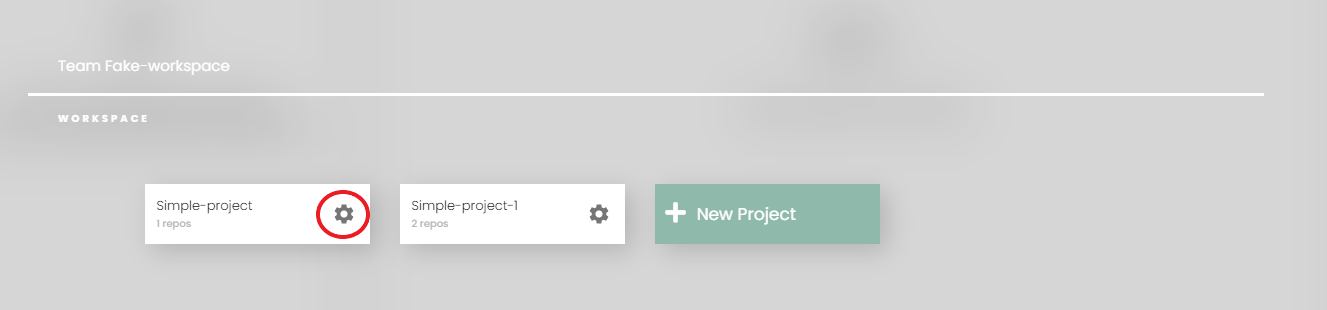
    You can either setup in workspace settings or project settings.

    1. Workspace settings

    In workspace settings, all values and credentials will be used for all projects belongs

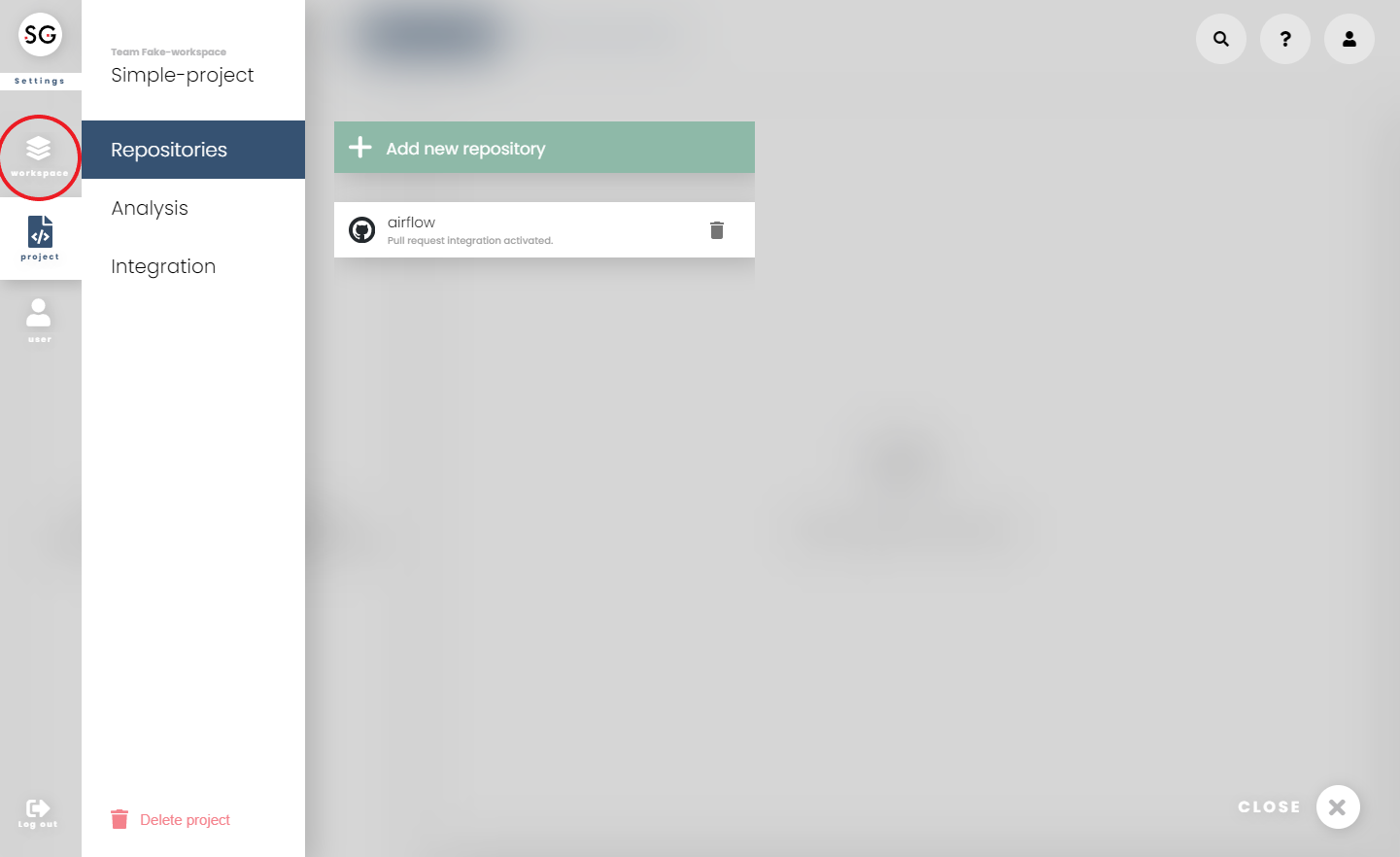
    You can access workspace settings from the 'Settings' button on the main bar and choose 'Workspace' from the left bar.

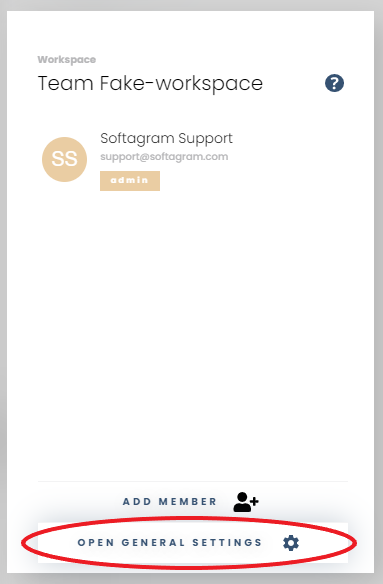
    Then, go to 'Open General settings'
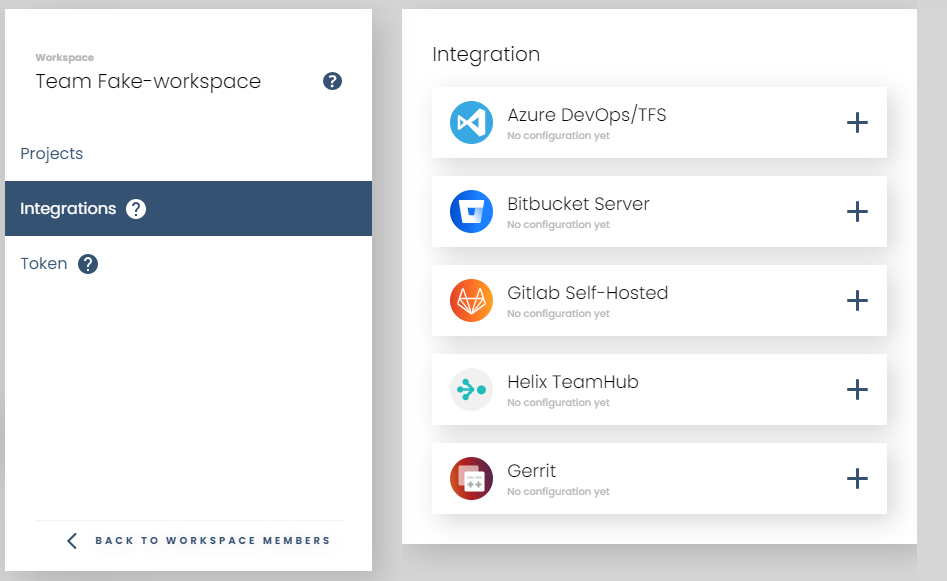
    All integrations settings are under 'Integrations' section
    2. Project settings

    You can open project settings either on the dashboard or inside switcher

    • From homepage

    • Or, inside switcher

    All the integrations settings for this project is under 'Integrations' section
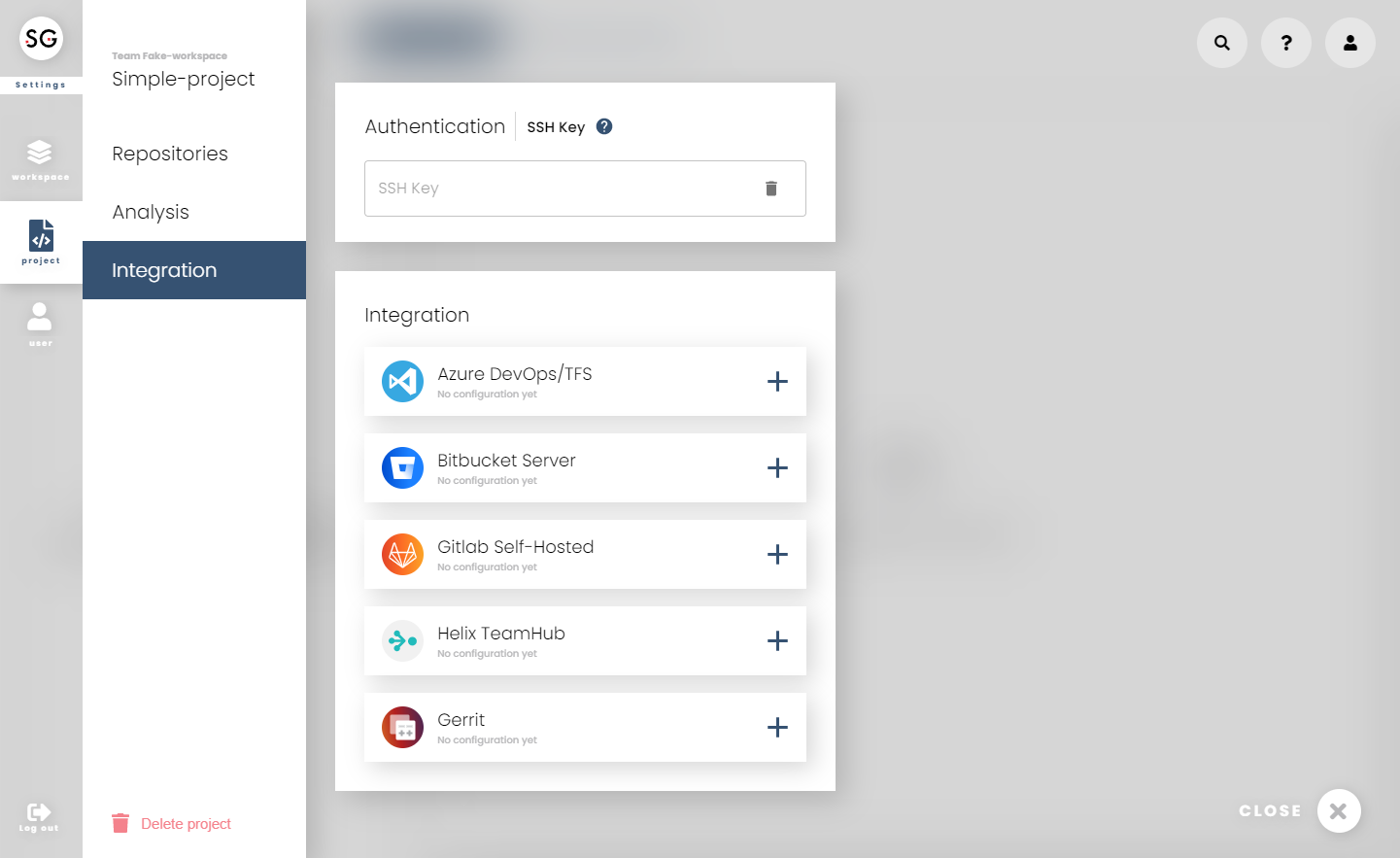
    3. How to set up your Git service?

    Follow the guide for your service in the table above.

    Need help, or didn't it work? Email us at support@softagram.com.

    Originally published at help.softagram.com

    in Guides
    # Softagram Analyzer

    Intelligence for enterprise resource planning and

    cybersecurity for software development

    Through our diverse expertise, we now offer a strong combination of artificial intelligence, operational efficiency, and cybersecurity knowledge.

    Contact us

    Softagram Oy
    Ketolanperäntie 469 
    90450 ​Kempele 

    • +358504836173
    • info@softagram.com
    Follow us
    Copyright © Softagram Ltd.
    Powered by Odoo - Create a free website

    We use cookies to provide you a better user experience on this website. Cookie Policy

    Only essentials I agree